
IPTV Devices
IPTV Xbox guide: how to watch IPTV on an Xbox console
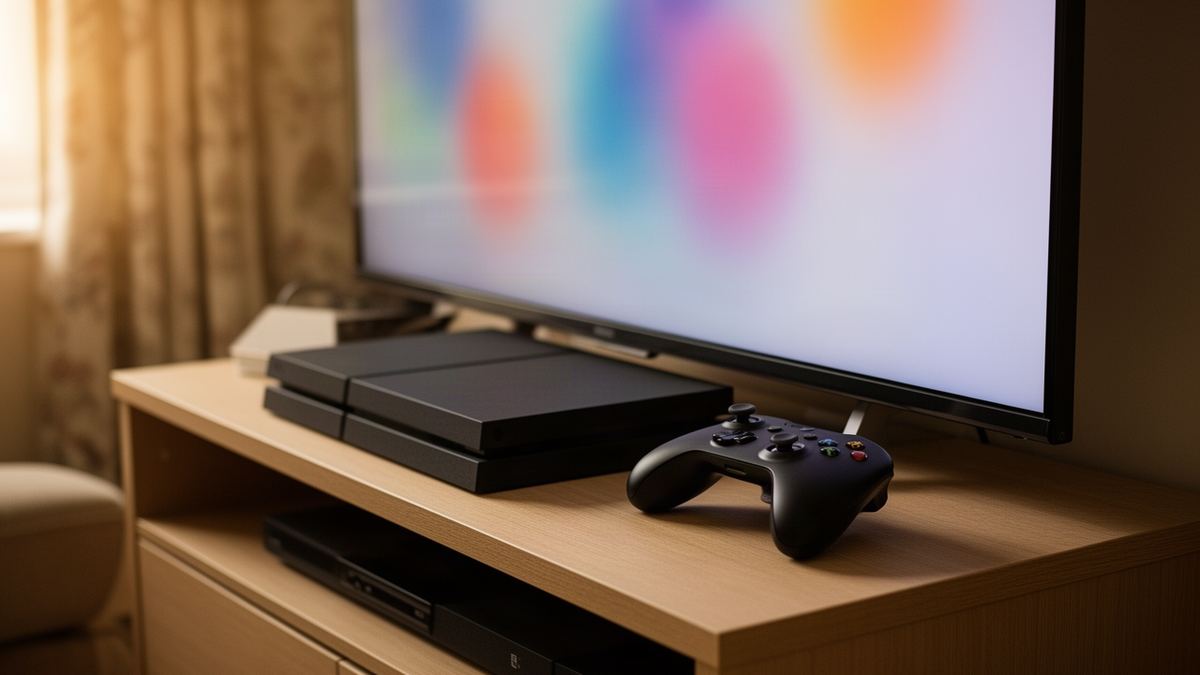
Short answer: An IPTV Xbox setup needs one player app from the Microsoft Store on the console and the login details from your provider’s email. It works on Xbox One, Series S and Series X. The console draws far more power than a streaming stick, so it suits homes where the Xbox is already under the television.
Semrush counts about 70 UK searches a month for “iptv xbox”. Searching it in November 2026 brought up console guides on subscription sellers’ blogs and a few provider help-desk pages, most recommending the same one or two apps.
None of the result summaries I read gave a power figure. Microsoft publishes them, and they change the answer to whether a console is a sensible television box. They are further down.
Can you install an IPTV player on an Xbox?
Yes. Xbox consoles install apps from the Microsoft Store, and the Store lists several media players as available on Xbox console that accept an IPTV login or playlist. Nothing needs modifying and no developer mode is involved. You search the Store on the console, install the player and add your details.
What you cannot do is install apps from outside the Store in normal use. Android players, which make up most of the IPTV app world, do not run on a console. The choice is therefore smaller than on a stick or an Android box, and it is worth knowing which players exist before you plan an evening around one.
A player is only the shell. It contains no channels, and the MyIPTV Player listing says so in its own disclaimer. The channels come from the subscription you log in with.
Which IPTV players are in the Microsoft Store for Xbox?
Three players I could confirm in the Microsoft Store are listed as available on Xbox console in November 2026: MyIPTV Player, Kodi and VLC. All are free to download. MyIPTV Player is the only one of them built specifically for IPTV, with a channel guide and a login screen designed for it.
The table uses each app’s own Store listing.
| Detail | MyIPTV Player | Kodi | VLC |
|---|---|---|---|
| Publisher | Vbfnet Apps | Kodi Foundation | VideoLAN |
| Price | Free, with in-app purchases | Free | Free |
| Listed for Xbox console | Yes | Yes | Yes |
| Built for IPTV | Yes | No, a general media centre | No, a general media player |
| Programme guide | Built in | Through its television add-on | None |
| Best for | Daily live television | People who already use Kodi | Testing that a stream plays |
MyIPTV Player’s listing mentions support for the two common login types, grouping of channels by category, a favourites list and PIN protection. Kodi and VLC are general players that can open a playlist, with more setup. Store line-ups change, so search “IPTV” on the console too. The IPTV player comparison describes how these apps differ on other devices.
IPTV Xbox setup: how do you add your login?
Install the player from the Store on the console, open its settings, add a new playlist or login, and enter the details from your provider’s email. Then select that playlist and let the channel list load. The steps below use MyIPTV Player; other players follow the same order with different menu names.
- Press the Xbox button, open the Store and search for the player by name.
- Select Get or Install, then launch the app from My games & apps.
- Open the app’s Settings and choose the option to add a new playlist or login source.
- Enter the login details in your email exactly as written, then save.
- Return to Settings, pick the source you just added and refresh.
- Open the channels screen and play one live channel to confirm it works.
Typing is the slow part. The on-screen keyboard and a controller make a long login tedious, so plug a USB keyboard into the console if you have one. With Vivid TV the login is emailed within 10 minutes of ordering.
Which Xbox consoles support IPTV in 4K?
Xbox One S, Xbox One X, Series S and Series X can all output 4K video, according to Xbox Support, provided the television is 4K. The original Xbox One is limited to 1080p. A 4K picture also needs a 4K stream and a connection that reaches 25 Mbps on the console itself.
Check the console’s display setting before blaming the stream:
- Press the Xbox button to open the guide.
- Select Profile & system, then Settings, then General, then TV & display options.
- Under Display, choose 4K UHD as the resolution.
- Under Advanced, open Video modes and confirm Allow 4K is ticked.
Microsoft notes you can leave the console at 1080p and let apps switch to 4K when they need it. Whether a particular player does that is up to the app. Setting 4K UHD by hand removes the doubt.
How do you control an IPTV player with an Xbox controller?
The controller works like a remote with too many buttons. The D-pad or left stick moves through channels and menus, A selects and B goes back. That covers nearly everything in a player. What it lacks are number keys and a dedicated channel up and down, so hopping between channels is slower.
A controller also falls asleep to save its batteries, and waking it means pressing the Xbox button and waiting a moment. Small things, but they add up across an evening of live television. Favourites help. Build a short list of the channels you watch and the D-pad travel shrinks to a few presses.
How much electricity does an Xbox use for IPTV?
Microsoft’s energy table puts an Xbox Series X at 48 W when streaming in UHD and 47 W in HD. A Series S uses 31 W and 28 W for the same jobs, and an Xbox One S 36 W and 33 W. For comparison, active gameplay on a Series X is listed at 153 W.
| Mode | Xbox Series X | Xbox Series S | Xbox One S |
|---|---|---|---|
| Streaming HD | 47 W | 28 W | 33 W |
| Streaming UHD | 48 W | 31 W | 36 W |
| Menus (navigation) | 48 W | 28 W | 27 W |
| Sleep | 13 W | 10 W | 11 W |
| Shutdown (energy saving) | 0.5 W | 0.4 W | 0.5 W |
| Active gameplay | 153 W | 74 W | 62 W |
Turn that into a year. Four hours of UHD viewing a day on a Series X is 48 W x 4 hours x 365 days, which comes to about 70 kWh. The same habit on a Series S is about 45 kWh. Multiply either by the unit rate on your electricity bill for the cost.
The figures come from Microsoft’s page on Xbox power options and energy consumption. A streaming stick runs from a small USB adapter, so it sits well below any row in that table.
Which Xbox power setting should IPTV viewers use?
Use Shutdown (energy saving). In that mode a Series X draws 0.5 W when off, against 13 W in Sleep. The trade-off, per Xbox Support, is a start-up of up to 45 seconds and no remote wake. For a console used as a television box, the saving is worth the wait.
The arithmetic is striking. A Series X in Sleep for the 20 hours a day it is not being watched uses 13 W x 20 x 365, about 95 kWh a year. That is more than the 70 kWh the viewing itself consumed. In Shutdown the same idle hours cost under 4 kWh, which makes this the first setting to change in any IPTV Xbox setup.
To change it, press the Xbox button, then go to Profile & system, Settings, General, Power options, and select Shutdown (energy saving). The same screen lets you set the console to turn off after a period of inactivity, which is useful if someone falls asleep in front of a film.
Should an Xbox use Ethernet or Wi-Fi for IPTV?
Use the Ethernet port if the router is within cable reach. Every Xbox has one, and Microsoft lists the Series X port as 10/100/1000, so it is never the limiting factor. A wired console holds its speed at 8pm when the household’s phones and laptops are all competing for Wi-Fi.
Vivid TV publishes 10 Mbps for HD and 25 Mbps for 4K, measured on the device you watch on. The console can measure itself. Under Settings, General, Network settings there is a speed test, and running it at the time you usually watch tells you more than a daytime result.
Is an Xbox or a streaming stick better for IPTV?
A streaming stick is the better IPTV device if you are buying something for the job: it costs far less, has more players, comes with a proper remote and uses a fraction of the power. An Xbox is the better choice only when it is already connected to the television and you would prefer not to add another gadget.
There is a middle path. Use the console for the first month to confirm IPTV suits the household, then decide whether a stick is worth adding. The comparison of the best devices for IPTV lays out all seven families, and IPTV on a Roku stick covers one of the cheaper options.
The service matters as much as the hardware. Anyone choosing iptv for uk viewing on a console should confirm the login works in standard players, because the Store’s selection is short. Vivid TV’s login works in every IPTV player app and covers 34,000 live channels and 195,000 films and series in up to 4K.
Can you use the same IPTV login on a PC or Mac as well?
Yes. The login can be installed on several of your own devices, so the Xbox and a laptop can both hold it. One connection means one screen playing at a time. Stop the stream on the console before starting it elsewhere, or one of the two will drop.
MyIPTV Player’s Store listing covers Windows PCs as well as Xbox, so a Windows laptop can run the identical app with the same layout. Apple laptops need a different player, and the options are compared in IPTV players for a Mac.
Frequently asked questions
Can you watch IPTV on Xbox Series X?
Yes. Install a player such as MyIPTV Player, Kodi or VLC from the Microsoft Store on the console and add the login details from your provider’s email.
What is the best IPTV app for Xbox?
MyIPTV Player is the one built for IPTV, with a programme guide and favourites. Kodi and VLC also work but need more setup and are general media players.
Is IPTV free on Xbox?
The players are free to download. The channels come from a subscription, which is separate from the app. Vivid TV plans run from £24.99 for 3 months to £79.99 for 24 months.
Does IPTV work on Xbox One?
Yes. The same Store players are listed for Xbox consoles in general. The original Xbox One outputs 1080p, while the One S and One X can output 4K.
Why is IPTV buffering on my Xbox?
Run the console’s network speed test at the time you watch. Under 10 Mbps for HD or 25 Mbps for 4K points to the connection, and a cable to the router is the usual fix.
Does an Xbox use a lot of electricity for streaming?
More than a stick. Microsoft lists 48 W for UHD streaming on a Series X and 31 W on a Series S, plus 10 to 13 W in Sleep mode if you leave that enabled.