
IPTV Devices
Best Android TV box for IPTV: the specs that matter
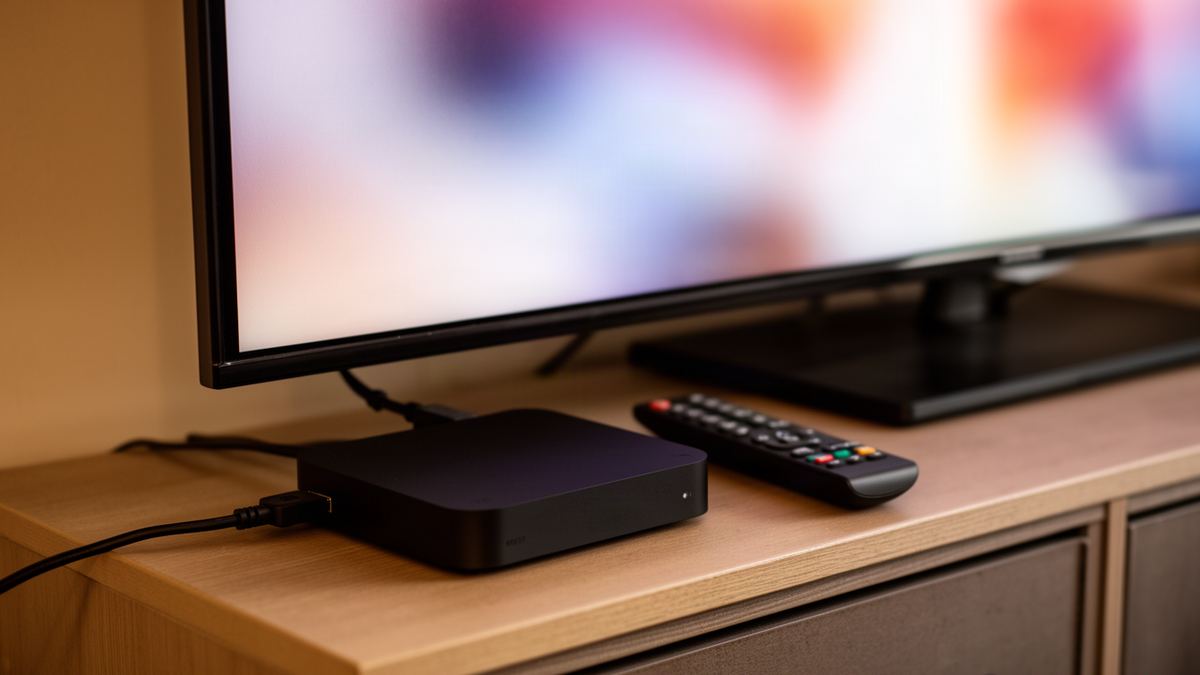
Short answer: The best Android TV box for IPTV is any certified Android TV or Google TV box with at least 2 GB of RAM (4 GB is comfortable), a wired network port, HEVC decoding at 4K and a frame-rate matching setting. Certification matters more than the processor name on the box.
Semrush counts about 390 UK searches a month for “best android tv box for iptv”. I searched it in November 2026 and found ranked lists on blogs run by subscription sellers, with prices that disagreed from page to page. One 4K stick was quoted at around £60 on one site and over £100 on another.
So this article ranks nothing. It gives you the specification sheet to hold any box against, with numbers taken from the makers’ own pages.
What is the best Android TV box for IPTV?
The best Android TV box for IPTV is a certified Android TV or Google TV model that passes a short specification check: enough memory, a wired port, HEVC decoding and frame-rate matching. Brand matters less than those four lines. A plain certified box that meets them will play live channels as well as a model costing twice as much.
Here is the checklist. Hold a product page against it line by line.
| Specification | Minimum | Comfortable | Why it matters for IPTV |
|---|---|---|---|
| Operating system | Certified Android TV or Google TV | Same | Play Store access and menus built for a remote |
| RAM | 2 GB | 4 GB | Long channel lists and guide data sit in memory |
| Storage | 8 GB | 16 GB or more | Room for the player, its cache and system updates |
| Wired network | 100 Mbps Ethernet | Gigabit Ethernet | A cable removes Wi-Fi from every fault hunt |
| Wi-Fi | Wi-Fi 5 on 5 GHz | Wi-Fi 6 | Only matters if you cannot run a cable |
| Video decoding | H.264 and HEVC at 4K | AV1 as well | The box must decode what the stream sends |
| Frame-rate matching | Present in settings | Present and used by your player | Smooth motion on 50 Hz channels |
| Remote | Bluetooth with a back button | Number or channel keys | Daily comfort, especially for live television |
Miss the minimum on any one row and I would keep looking.
Is a certified Google TV box better than a generic Android box?
Yes. A certified box runs the television version of Android with the Play Store, and it has passed Google’s compatibility testing. A generic box often runs the phone version of Android with a television skin, so menus expect a touchscreen and some players behave oddly. Certification is the first thing to check.
Google calls this Play Protect certification. Its help page says certified devices have passed Android compatibility testing and that only they are eligible to include Google apps such as the Play Store. An uncertified device, in Google’s words, may not receive system or app updates, and apps may not work correctly.
You can check a box you already own in under a minute:
- Open the Play Store app on the box.
- Select your profile icon at the top right.
- Choose Settings.
- Open About and read the Play Protect certification line.
The steps come from Google’s Play Protect certification help page. Shopping online, look for the words “Google TV” or “Android TV” in the maker’s own specification, not just “Android 14” in a marketplace title. If you are still deciding between a box, a stick and a television app, the overview of the best device for IPTV compares all seven families first.
How much RAM does an Android TV box need for IPTV?
An Android TV box needs 2 GB of RAM as a floor for IPTV, and 4 GB is the comfortable amount. The video itself uses little memory. What fills it is the player holding a channel list of tens of thousands of entries alongside the programme guide and the artwork for a large film library.
Google’s own hardware shows the direction of travel. The company lists its Chromecast with Google TV (4K) at 2 GB of memory, and the Google TV Streamer (4K) that replaced it at 4 GB. Nvidia publishes 3 GB for the Shield TV Pro.
Apply that to a big service. Vivid TV carries 34,000 live channels and 195,000 films and series, and a player loads an index of all of it at login. More memory means less waiting while those lists open.
Be wary of listings that boast 8 GB or 16 GB of RAM on a box priced like a stick. Memory figures on uncertified boxes are easy to print on a carton.
How much storage does an IPTV box need?
An IPTV box needs very little storage, because live channels and films stream and are not saved. 8 GB is workable for a player and a few other apps, and 16 GB or more leaves room for system updates. Storage only becomes a real concern if you record programmes inside the player.
The makers’ figures cover a wide range. Google lists 8 GB for the Chromecast with Google TV (4K) and 32 GB for the Google TV Streamer (4K). Nvidia lists 16 GB for the Shield TV Pro, part of which the system occupies, with two USB 3.0 ports for adding a drive.
Does an Android TV box need Ethernet for IPTV?
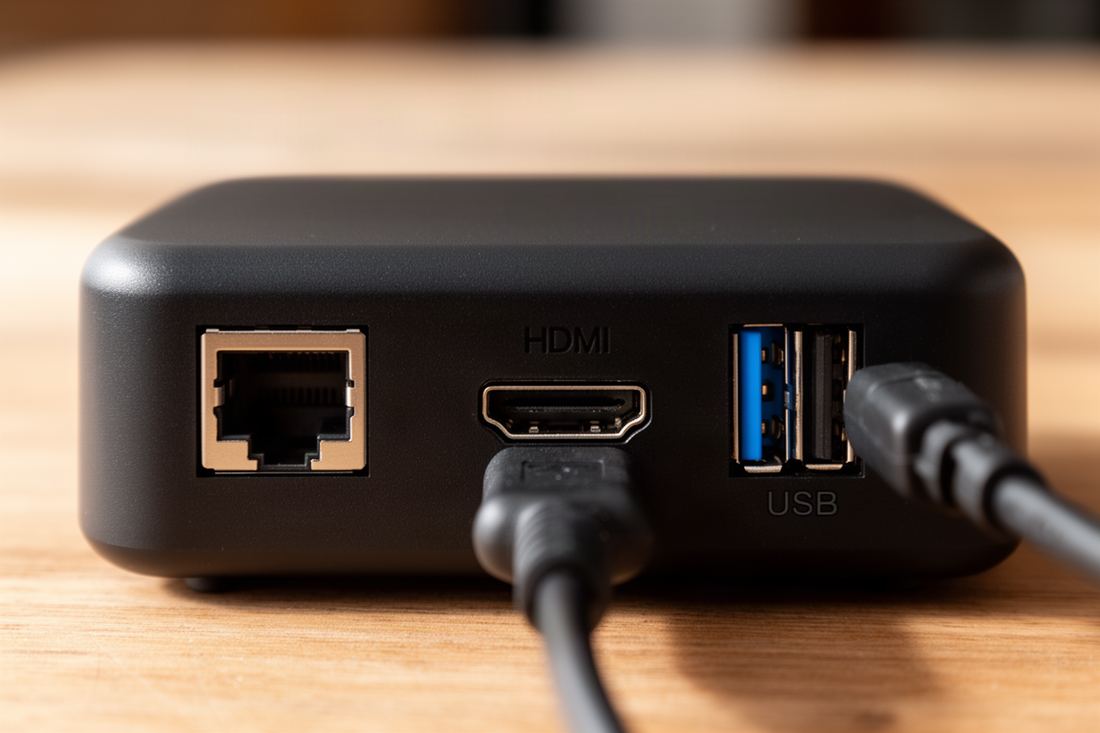
A box does not strictly need Ethernet, but a wired port is the single most useful hardware feature for IPTV on a main television. A cable gives the same speed at 8pm on a Saturday as at midday, which Wi-Fi through two walls cannot promise. It also removes one suspect when the picture buffers.
Port speed is where listings mislead. A 100 Mbps port sounds slow beside “gigabit”, yet the arithmetic says otherwise. Vivid TV publishes 25 Mbps for 4K, measured on the device you watch on, so a 100 Mbps port has four times the headroom. Gigabit does nothing extra for a single stream.
Check how the port is provided. The Google TV Streamer (4K) has a built-in gigabit socket, while the older Chromecast needed a separately sold Ethernet power adapter. The page on IPTV box types and what each one needs covers cabling in more detail.
Is Wi-Fi 5 or Wi-Fi 6 enough for IPTV on an Android box?
Wi-Fi 5 on the 5 GHz band is enough for IPTV, including 4K, when the box sits in the same room as the router or one wall away. Wi-Fi 6 helps in homes with many connected devices. Neither fixes distance. A box three rooms from the router struggles on any standard.
Several well-regarded boxes still ship with Wi-Fi 5. Google’s specification for the Google TV Streamer (4K) lists 802.11ac on 2.4 GHz and 5 GHz, which is Wi-Fi 5, and Nvidia lists the same standard for the Shield TV Pro.
Test before you blame the box. Install a speed test app from the Play Store and run it on the box itself at the time you usually watch. If it shows under 10 Mbps for HD or under 25 Mbps for 4K, run a cable or move the router closer.
Which video formats should an IPTV box decode?
An IPTV box should decode H.264 and HEVC in hardware, with HEVC at 4K and 60 frames per second if you own a 4K television. Those two formats cover the bulk of live and on-demand streams. AV1 is a useful extra for some on-demand apps, but I would not reject a box for lacking it.
Maker pages are specific here, so read them. Nvidia’s specification for the Shield TV Pro lists H.265/HEVC up to 4K HDR at 60 frames per second and does not list AV1 at all.
Hardware decoding is the point. A box that decodes HEVC in software will play the stream as a slideshow and run hot doing it. If a listing names the formats but not the resolution, assume 1080p.
Why does frame-rate matching matter for UK channels?
Frame-rate matching matters because UK live television is produced at 50 Hz, while many boxes output 60 Hz by default. Showing 50 Hz pictures on a 60 Hz output makes panning shots judder, most visibly in sport. A box with a frame-rate matching setting switches its output to suit the channel, and the judder goes.
On Google’s own devices the setting lives under All settings, then Display and sound, then Match content frame rate. Google notes the option only appears when the television supports it. Android’s developer documentation adds a second condition: the player app has to tell the system the frame rate of the video.
The feature needs both halves. Pick a box that has the setting and a player that uses it, then test with a sports channel and watch the ball during a slow camera pan.
What should the remote on an IPTV box have?
The remote should connect by Bluetooth and have a proper back button, ideally with channel up and down keys as well. Infrared remotes need line of sight, which fails when the box hides behind the television. Number keys are a bonus for anyone who remembers channels by number, and some players let you type them directly.
A remote is used hundreds of times a week, and a cheap box shows itself here. If the household is on Apple hardware and values the remote above all, IPTV on Apple TV is a fair alternative to any Android box.
Which Android TV box families meet the checklist?
Certified boxes from the companies that publish full specifications meet the checklist most reliably. I can confirm the figures for two of them from the makers’ own pages. This is not a ranking, and I have not tested them side by side. It is the checklist applied to published numbers.
| Specification | Google TV Streamer (4K) | Nvidia Shield TV Pro |
|---|---|---|
| System | Google TV on Android TV OS | Android TV |
| RAM | 4 GB | 3 GB |
| Storage | 32 GB | 16 GB, expandable by USB |
| Wired port | Gigabit, built in | Gigabit, built in |
| Wi-Fi | 802.11ac (Wi-Fi 5) | 802.11ac (Wi-Fi 5) |
| Top video output | 4K at 60 frames per second | 4K HDR at 60 frames per second (HEVC) |
Both clear every minimum in the checklist. The older Chromecast with Google TV (4K), at 2 GB and 8 GB with Ethernet by adapter, sits exactly on the minimum line. Infomir’s MAG555 is listed as a Google TV model too, though I could not confirm its memory figures, so check the maker’s page.
Hardware prices move weekly, so I have left them out. Whatever you buy, the box is only as good as the service behind it, and a uk iptv subscription should work in ordinary player apps so you are never tied to one device. Vivid TV’s login works in every IPTV player app and arrives by email within 10 minutes of ordering.
One last tip costs nothing. Before a new box arrives, try the login on a phone first; the steps for IPTV on an iPhone take a few minutes and prove the account works before you unbox anything.
Frequently asked questions
Is an Android TV box better than a Firestick for IPTV?
Both run Android-based players, so the picture is the same. A box usually adds a built-in network port and more memory, which helps on a main television used every evening.
How much RAM is enough for an IPTV box?
2 GB is the floor and 4 GB is comfortable. The extra memory helps the player hold a large channel list and guide data, not the video itself.
Do cheap Android boxes work for IPTV?
Some do, but many uncertified boxes run the phone version of Android and miss updates. Check for Play Protect certification in the Play Store settings before trusting the specification on the carton.
Do I need a 4K Android box for IPTV?
Only if your television is 4K and your connection reaches 25 Mbps on the device. On a 1080p set, an HD box shows the same picture.
Can I use Wi-Fi with an Android TV box for IPTV?
Yes. Wi-Fi 5 on the 5 GHz band handles HD and 4K when the router is close. Use a cable where the signal has to pass through several walls.
Which IPTV player should I install on an Android TV box?
Any player that accepts the login details in your email will work. TiviMate and IPTV Smarters Pro are widely used on Android TV, and both are operated with a remote.